




Submitted!
You can make changes until the deadline (Aug 6, 2025 at 7:59 PM EDT).
Citizen2Responder: AI-Powered Emergency Response App
Emergency assessment and medical assistance with local AI processing and intelligent report generation for first responders
Google - The Gemma 3n Impact Challenge
Hackathon Writeup · Aug 4, 2025
Citizen2Responder App
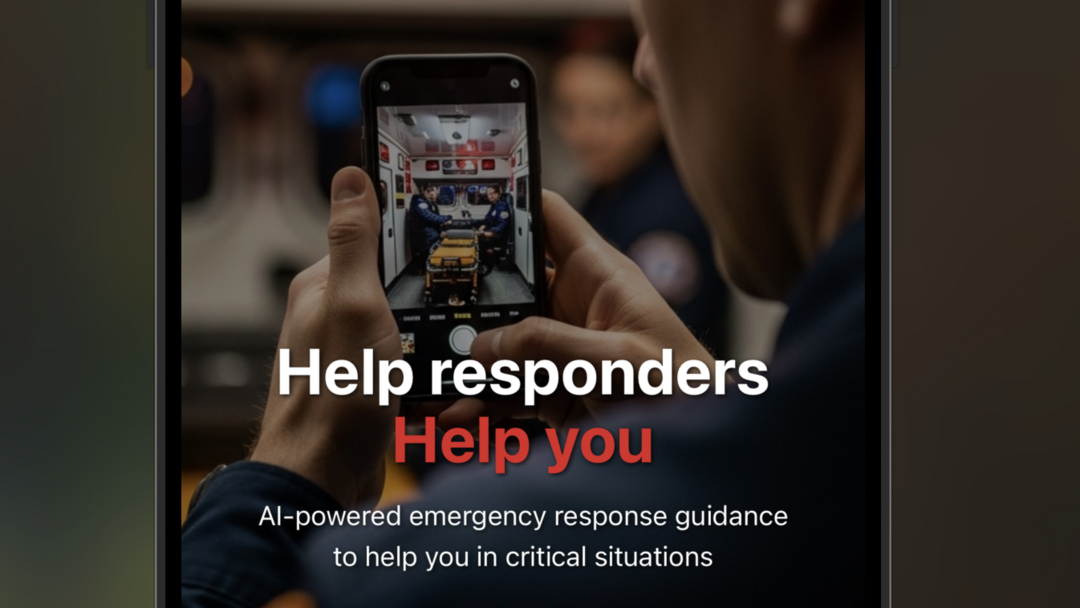
A cutting-edge emergency response and medical assistance application that combines AI-powered real-time video communication with intelligent assessment tools. Built with React Native and Expo, featuring local AI processing with cloud fallback for optimal performance and privacy.
🚨 Overview
The Citizen2Responder App is designed to assist emergency responders, medical professionals, and individuals during critical situations. It provides AI-guided assessments, automated report generation, and real-time care instructions through an intuitive video calling interface.
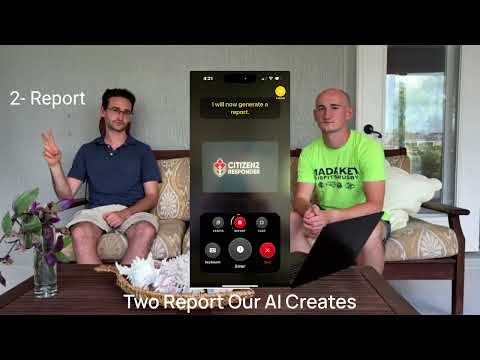
🎥 App Preview
📺 Watch Demo Video
See the app in action - AI-powered emergency response tools, real-time assessment, and care instructions
📱 Try the App
Scan the QR code with Expo Go or use the link below
🚀 Live Demo on Expo
Experience the app instantly using the Expo Go app on your mobile device. Scan the QR code or open the link above to test all features including the AI assessment tools, emergency reporting, and care instructions.
Key Capabilities
- AI-Powered Emergency Assessment - Intelligent questioning and situation analysis
- Automated Report Generation - Comprehensive emergency documentation
- Real-time Care Instructions - AI-generated medical guidance and protocols
- Vision Analysis - Image and video analysis for medical situations
- Local AI Processing - Privacy-focused on-device AI with cloud fallback
- Professional Communication - Video calling optimized for emergency scenarios
🧠 AI Technology
Local AI Processing
- Model: Fine-tuned Medical Gemma 3N (HuggingFace)
- Framework: llama.rn for on-device inference
- Benefits: Low latency, privacy protection, offline capability
- Use Cases: Text conversations, assessments, report generation
Cloud AI Integration
- Model: Gemini Flash 1.5 8B via OpenRouter
- Purpose: Vision processing and image analysis
- Features: Medical image interpretation, visual assessment support
⚠️ Framework Limitation: While Gemma-3n supports multimodal capabilities, llama.rn currently does not support vision and audio processing. This is a limitation of the mobile framework, not the underlying model. Therefore, we route vision and audio tasks to cloud-based models to provide complete functionality.
Smart Routing
The app intelligently routes requests based on capability requirements:
- Text-only interactions → Local Gemma-3n model
- Vision/image analysis → Cloud Gemini Flash model
- Automatic fallback → Cloud processing if local model fails
🏥 Medical Fine-tuning
- Specialized Training: Fine-tuned Gemma 3N for emergency response scenarios
- Dual-mode Operation: Natural conversation guidance + structured tool calling for EMTs and medics
- Emergency Coverage: 20+ categories including cardiac, respiratory, trauma, and neurological emergencies
- Mobile Optimized: GGUF quantization for efficient on-device deployment
- Development Tools: Fine-tuning and model conversion scripts available in
finetuning/directory
Training Dataset
Our medical training dataset was developed through real EMT field experience, featuring 40+ emergency scenarios across critical categories:
- EMT-Validated: All scenarios reviewed against actual emergency protocols
- Dual-Mode Training: Each scenario includes both conversational guidance and structured tool calling
- Safety-First: Responses prioritize patient safety and professional handoff protocols
- Progressive Assessment: Training examples demonstrate proper medical questioning sequences

WandB Training Logs - Model fine-tuning metrics and performance tracking
🎛️ Core Features
Emergency Response Toggles
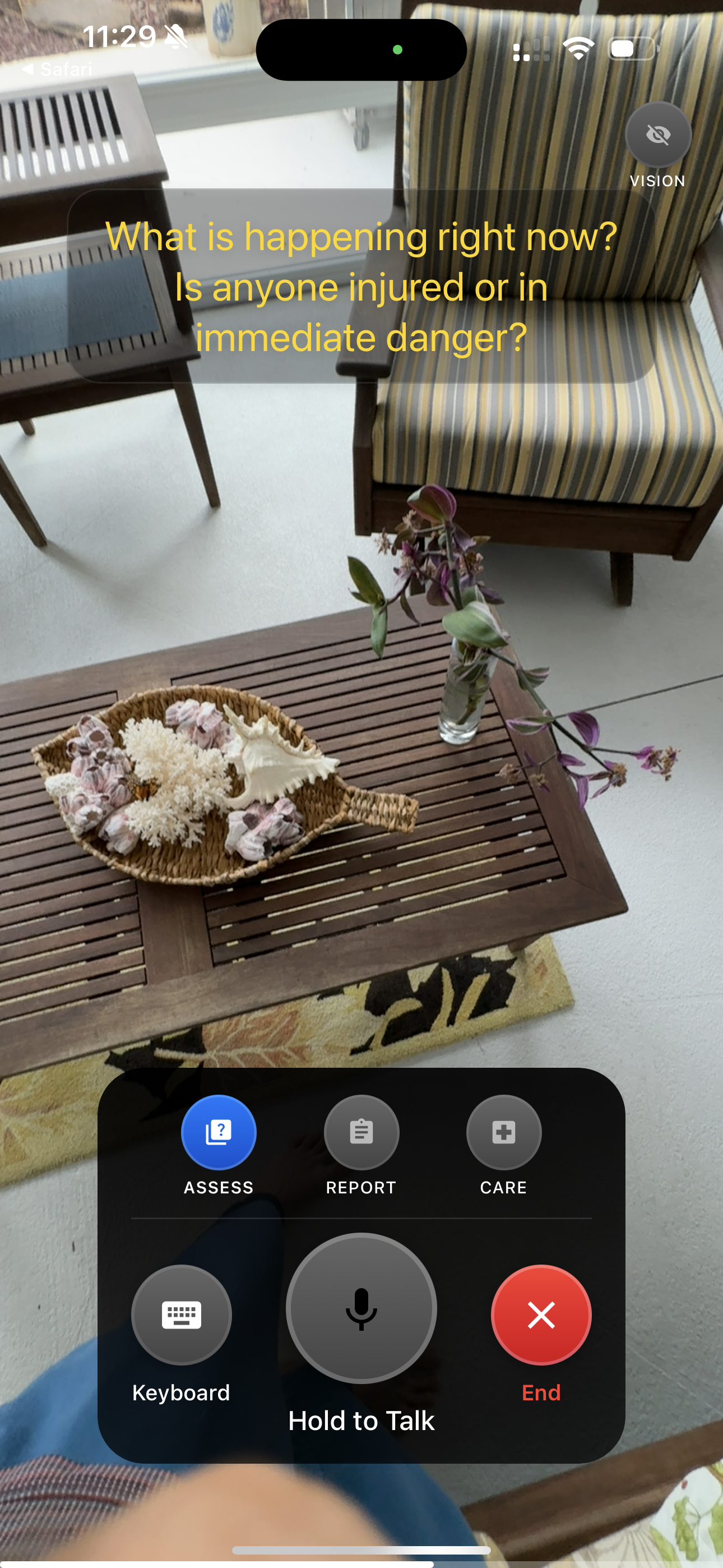
The app features three primary access modes accessible through intuitive toggle controls, plus vision capabilities:
ASSESS Mode
- Purpose: Guided emergency assessment
- Function: AI-driven questioning to evaluate situations
- Icon: Quiz/Question mark
- Usage: Activate to receive structured assessment questions
Assess Mode - Initial emergency assessment with toggle controls
REPORT Mode
- Purpose: Automated emergency report generation
- Function: Creates comprehensive incident documentation
- Icon: Assignment/Document
- Usage: Generate detailed reports based on conversation history
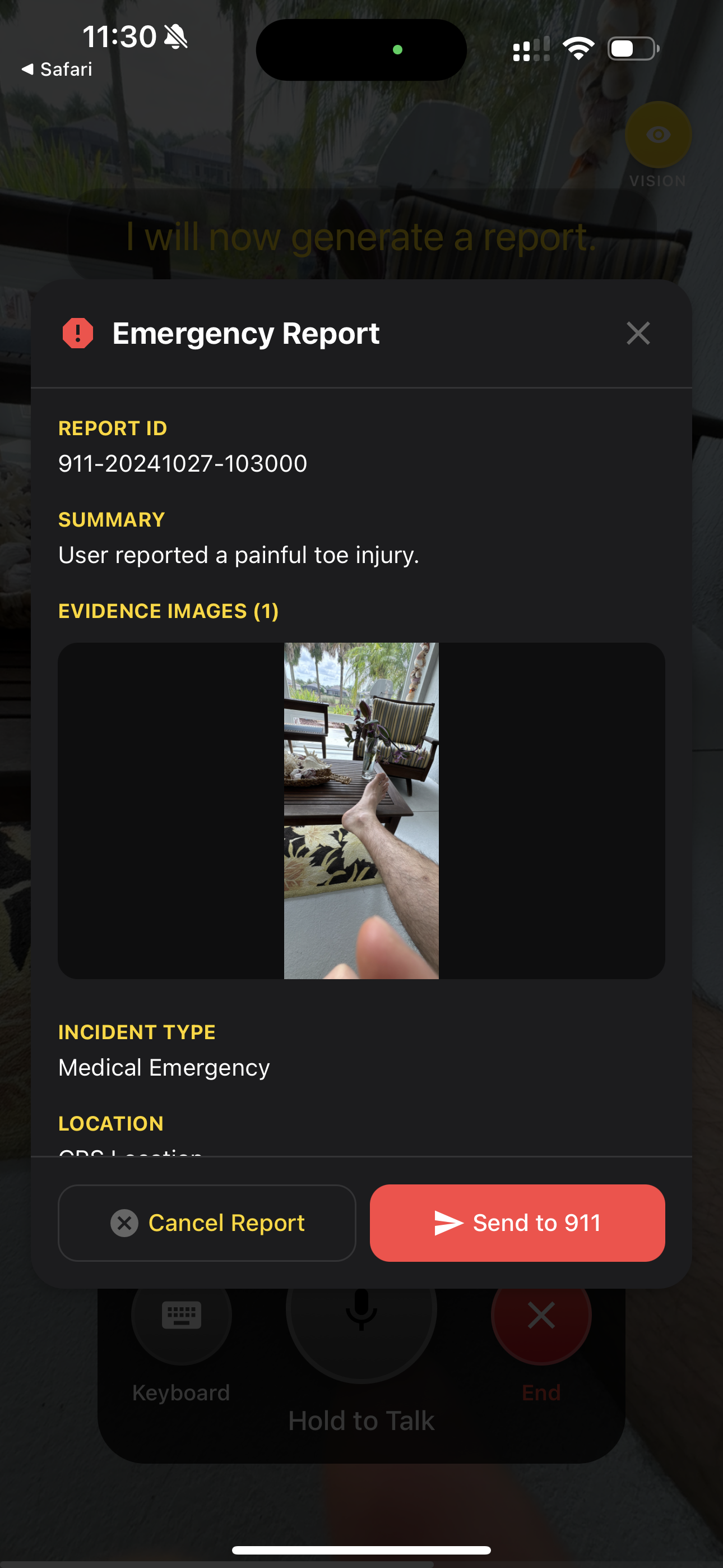
Report Mode - Emergency report generation with incident details
CARE Mode
- Purpose: Real-time care instructions
- Function: Provides immediate medical guidance and protocols
- Icon: Hospital/Medical cross
- Usage: Access emergency care instructions and procedures
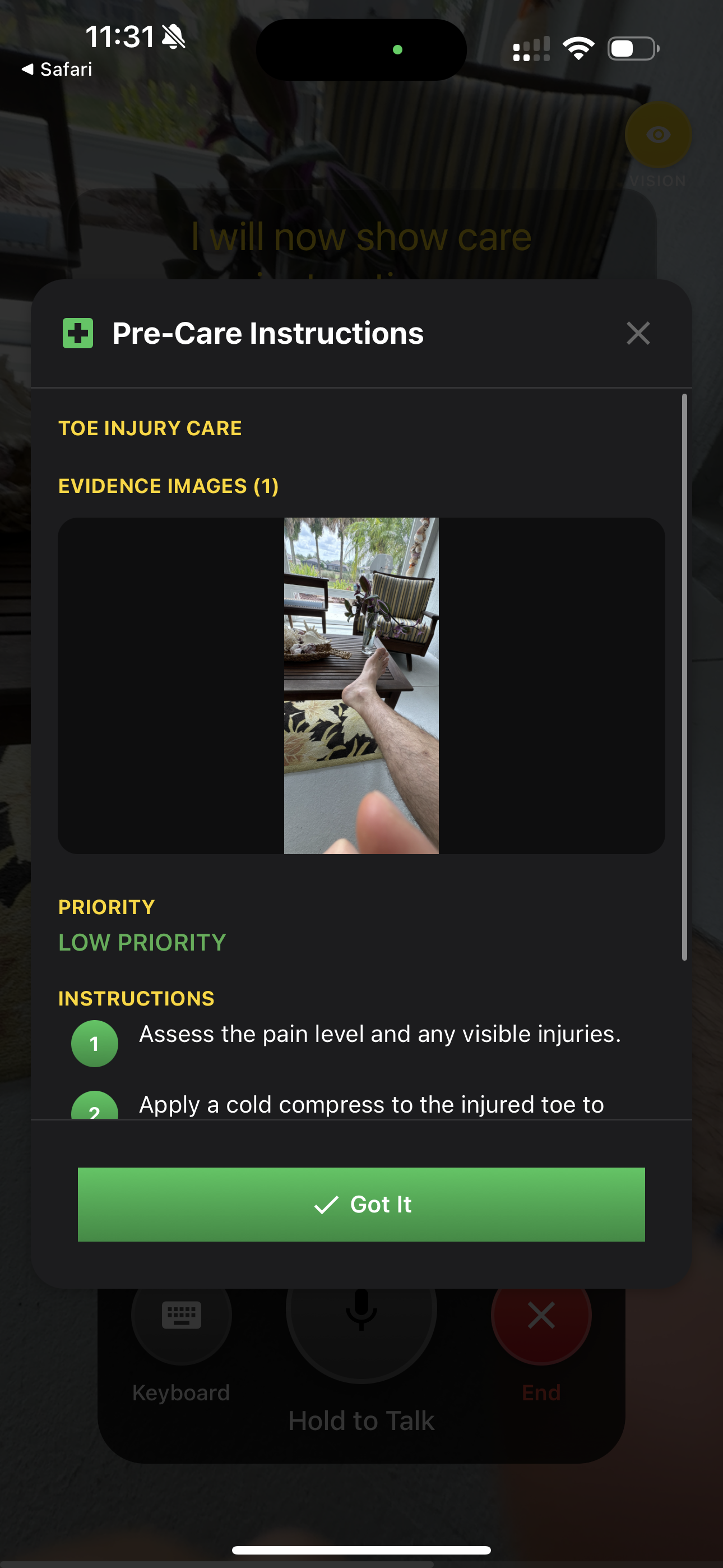
Care Mode - Pre-care instructions with step-by-step guidance
Vision Capabilities
The app includes AI-powered vision analysis for visual assessment support.
Additional Controls
- Camera Toggle: Video feed control with permission management
- Voice Toggle: Audio recording and transcription
- Keyboard Input: Text-based communication option
- Transcription: Real-time speech-to-text conversion
🛠️ Technology Stack
Frontend
- React Native - Cross-platform mobile development
- Expo - Development and deployment platform
- TypeScript - Type-safe development
AI & ML
- llama.rn - Local AI inference library
- Gemma-3n - On-device language model
- OpenRouter - Cloud AI API gateway
- Replicate - Text-to-Speech (TTS) services
- Deepgram - Speech-to-Text (STT) transcription
- Unsloth - Finetuning framework
📱 Setup Instructions
Prerequisites
- Node.js 18+
- Expo CLI
- iOS Simulator or Android Emulator
- Physical device for optimal performance
Installation
- Clone the repository
git clone <repository-url>
cd relay-responder-app
- Install dependencies
npm install
Configure Local AI Model
⚠️ IMPORTANT: Configure the local model path in your
.envfileModel Requirements:
- Download the Gemma-3n GGUF model file
- Place it in an accessible directory on your development machine
- Add the model path to your
.envfile
Environment Setup
Create a.envfile with required API keys and model configuration:
EXPO_PUBLIC_OPENROUTER_API_KEY=your_openrouter_api_key_here
EXPO_PUBLIC_MODEL_PATH=/path/to/your/models/gemma-3n-E2B-it-Q4_K_M.gguf
EXPO_PUBLIC_DEEPGRAM_PUBLIC_KEY=your_deepgram_api_key_here
EXPO_PUBLIC_REPLICATE_API_KEY=your_replicate_api_key_here
Development
- Prebuild (first time only)
npm run prebuild
- Start development server
npm run start:dev
- Run on device
# iOS
npm run ios:dev
# Android
npm run android:dev
Production Build
# iOS
npm run build:ios
# Android
npm run build:android
📋 Development Scripts
npm run start # Standard Expo start
npm run start:dev # Development client start
npm run android:dev # Android debug build
npm run ios:dev # iOS debug build
npm run build:android # Android production build
npm run build:ios # iOS production build
npm run prebuild # Clean prebuild
npm run lint # Code linting
📄 License
This project is licensed under the MIT License - see the LICENSE file for details.
⚠️ Emergency Disclaimer: This application is designed to assist in emergency situations but should not replace professional medical advice or emergency services. Always contact appropriate emergency services (911, etc.) for immediate medical emergencies.
Project Links

License
This Writeup has been released under the Attribution 4.0 International (CC BY 4.0) license.
Citation
Earl Potters. Citizen2Responder: AI-Powered Emergency Response App. https://www.kaggle.com/competitions/google-gemma-3n-hackathon/writeups/citizen2responder-ai-powered-emergency-response-ap. 2025. Kaggle